iOS Music App
Offline iOS music player for local files with system playback.
Summer 2025 · iOS · Completed personal project
Stack
Stack: Swift · AVFoundation · MediaPlayer
No internet at the campsite. Audio files already on the phone. The app had to feel native enough that I would actually use it.
Log
Aug 2025 — Davis Mountains
Drove out to the McDonald Observatory dark-sky site. Zero LTE across the valley. Starlink on the picnic table covered the laptop, but the phone in my pocket was on its own. The files I wanted to hear were already in Files; that was reason enough to build a local player.
Day 1 — paper
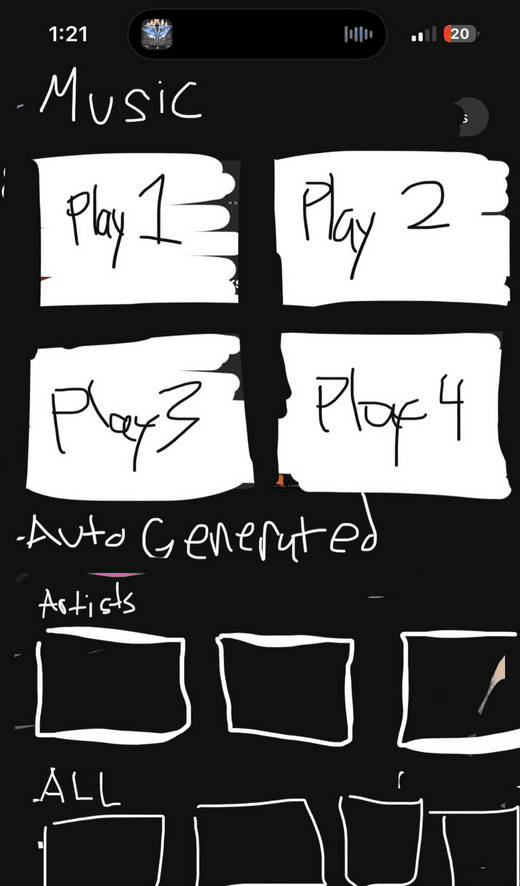
Sketched the whole app on one sheet of notebook paper. Five rectangular buttons, no icons, no styling. That was the spec.
First playback
Pointed AVAudioPlayer at a local MP3 already on the phone and called play(). Sound came from the iPhone speaker without a network connection. The first playback took about thirty lines of Swift: a useful proof of concept, not the whole app.
Library
Replaced the paper buttons with a real Music Library: a dark-mode grid populated from local file metadata. Tapping a cover opened Now Playing with that track's art and title.
Controls
Built Now Playing around a test track, with artwork, title, artist, elapsed time, scrubber, transport controls, and a queue button backed by player state.
Queue
A plain array backed Up Next, and the player worked through it in order. Selecting a track from the library moved it to the top; the remaining tracks followed when the current one ended.
Lock screen
Used MediaPlayer for playback metadata and transport controls so the system could display and operate current playback.
Result
Local-file music library with playback, queue, and system controls.
What I learned
The first successful play was tiny; the useful project was the library and queue around files I already had. It solved a specific offline problem on that trip. The iPhone already knew how to play the audio; the work was making the files easy to find and control.